How to Program Your Garage Door Remote: A Complete Guide by GarageLand

Introduction
In the bustling city of Boston, MA, a reliable garage door is a must-have for homeowners. Have you ever experienced the frustration of a malfunctioning garage door remote? Programming your garage door remote doesn’t have to be a daunting task. In this guide, we will walk you through the entire process, empowering you to take control of your garage door system. Let’s get started!
Understanding Your Garage Door System
Before we dive into programming your garage door remote, it’s essential to understand the components of your garage door system. Here are the key parts:
- Garage Door Opener: The motor that operates the door.
- Remote Control: Your handheld device that signals the opener.
- Safety Sensors: Devices that prevent the door from closing on objects or people.
- Wall Control Panel: A secondary method to operate the garage door.
Step-by-Step Guide to Programming Your Garage Door Remote
Gather Necessary Tools
Programming your garage door remote typically requires just a few items:
- The garage door remote.
- Your garage door opener manual (if available).
- A sturdy ladder (for high garage door openers).
Step 1: Locate the Program Button
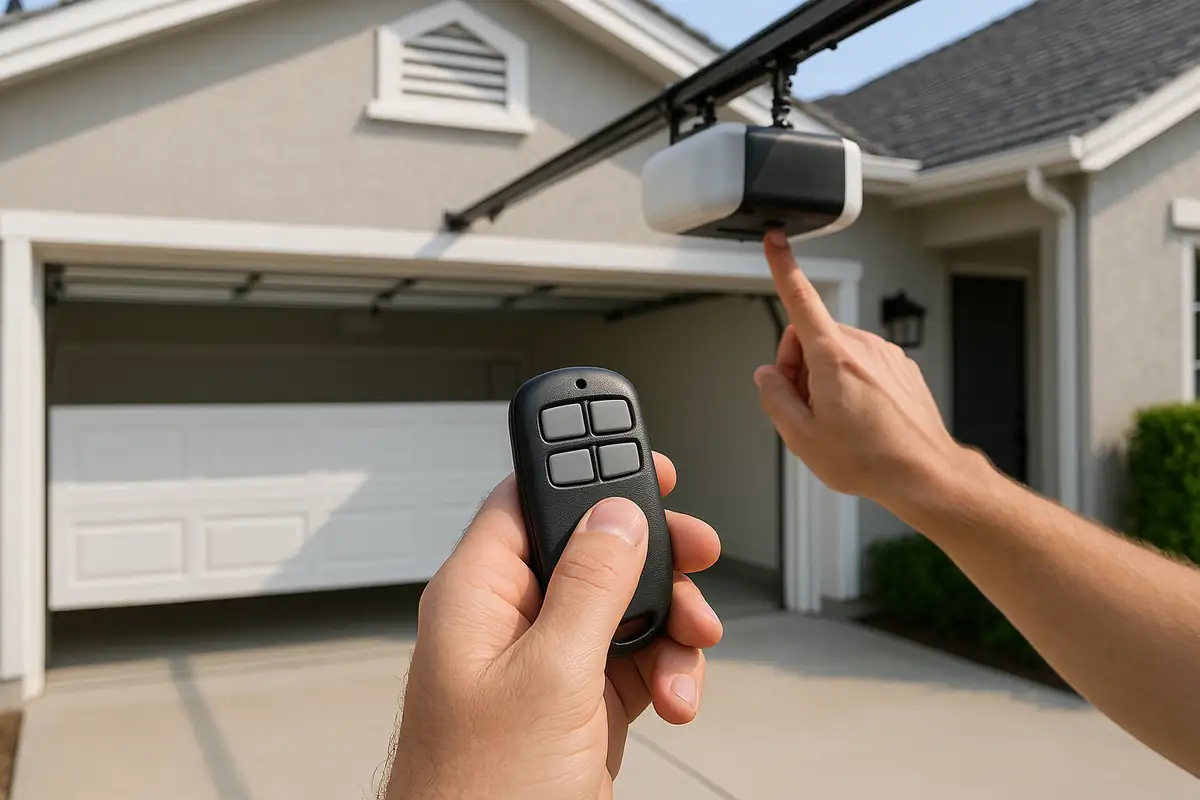
To program your remote, you first need to find the program button on your garage door opener. This is usually located on the back or side of the unit. It may be labeled as "Learn," "Program," or indicated by a simple button.
Step 2: Prepare the Remote
Make sure your remote has fresh batteries installed. Dead batteries are one of the most common reasons for remote malfunction, so be proactive!
Step 3: Start the Programming Process
Now, let’s get into the programming:
- Press and hold the program button on your garage door opener until the indicator light turns on.
- Release the button—the light should remain on.
- Within 30 seconds, press and hold the button on your remote that you wish to program.
- Wait for the indicator light to blink and then turn off. This indicates that the remote is successfully programmed!
Troubleshooting Common Issues
If you encounter problems while programming your remote, here are some practical tips:
- Ensure you are within range of the garage door opener.
- Double-check that you are using the right remote for your specific garage door model.
- Replace batteries if the remote is still unresponsive.
- Consult the manual for specific error codes or issues related to your garage door opener.
When to Call a Professional Garage Door Repair Service
In some cases, programming issues may stem from more significant problems with your garage door system. Consider reaching out to GarageLand if you experience:
- Continuous failures to program your remote even after multiple attempts.
- Unusual noises from your garage door opener.
- Physical damage to the garage door or opener.
Why Choose GarageLand?
As a trusted garage door repair service in Boston, MA, GarageLand offers:
- Fast response times for all repair needs.
- Expert technicians with extensive training.
- Transparent pricing and no hidden fees.
Statistics on Garage Door Systems
Did you know that nearly 70% of homeowners use their garage door as the primary entrance to their home? Keeping your garage door system in optimal condition is essential not just for convenience, but also for safety!
Conclusion
Programming your garage door remote can be straightforward with the right guidance. We hope this comprehensive guide has made the process clear and simple for Boston residents. Should you encounter any trouble or need assistance, don’t hesitate to reach out to GarageLand. Our expert team is just a call away, ready to ensure your garage door operates flawlessly!
Call to Action
Is your garage door remote still giving you trouble? Contact GarageLand today for professional assistance and ensure your garage door remains secure and functional!
Explore More Resources
Related Articles
Service Areas
We proudly serve Boston, Charles River Square, North Point, Boynton Yards, Cambridge and more areas.
Our Services
Professional garage door repair, spring repair, opener installation and more. View all services →